Redesigning Learning Management System Experience
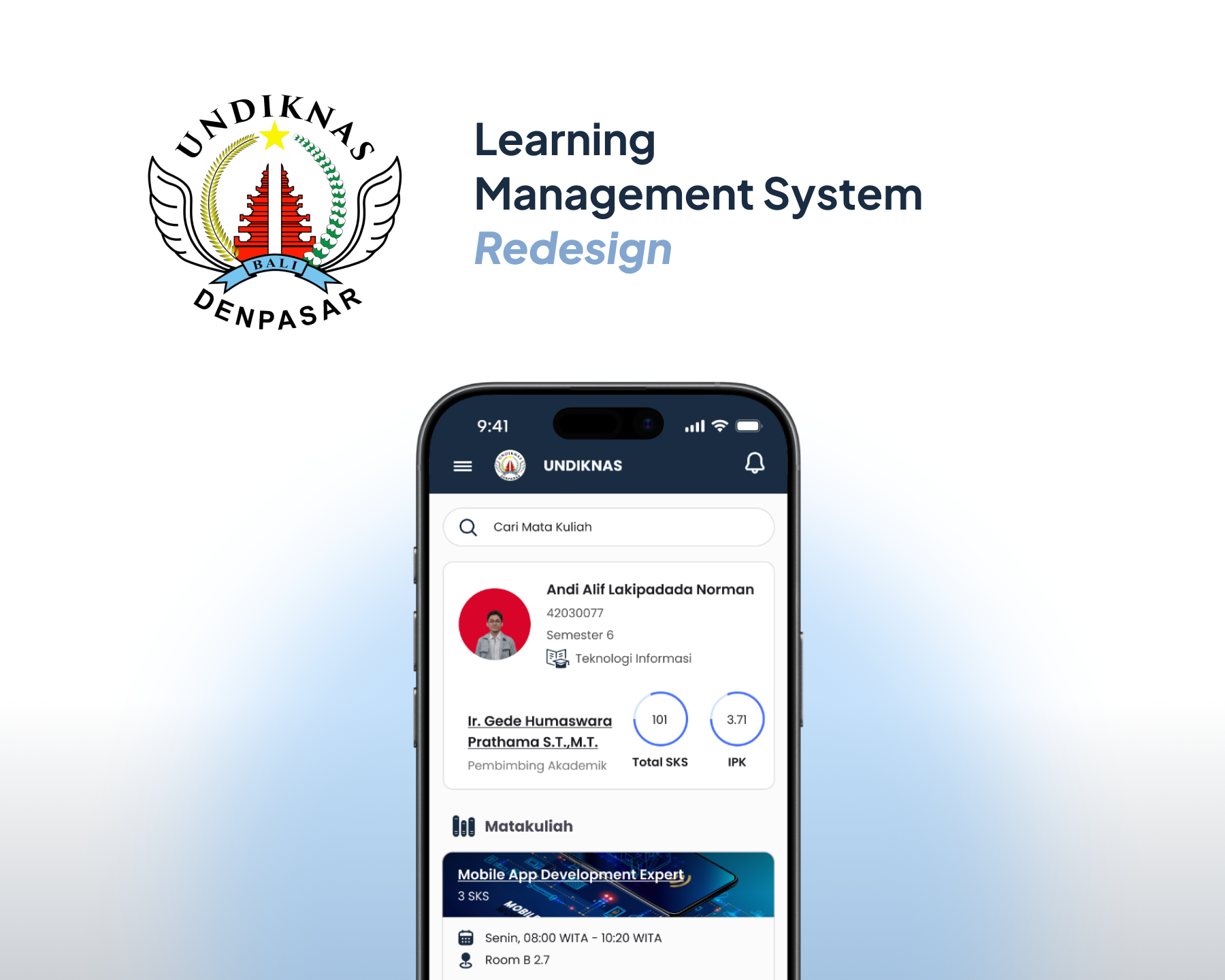
UNDIKNAS LMS is a learning management system used by students and lecturers to support online learning activities. This redesign focused on improving the overall learning experience by making the interface easier to understand, more organized, and more comfortable to use on mobile devices.
- Client
- UNIVERSITAS PENDIDIKAN NASIONAL
- Year
- 2024
- Role
- UX Designer & Researcher
- Duration
- 6 Months
Overview
UNDIKNAS LMS is a digital learning platform used to support academic activities such as accessing course materials, checking assignments, joining discussions, and viewing learning progress.
The redesign focused on improving the LMS experience by creating a cleaner interface, simplifying navigation, and making important academic information easier to access. The project followed a structured design process, including research, observation, persona creation, wireframing, card sorting, prototyping, user testing, and design documentation.
Problem
The existing LMS experience felt difficult to use because important learning features were not easy to find, the interface looked outdated, and the user flow was not fully optimized for mobile usage.
Students needed a faster way to access course content, assignments, schedules, and learning updates. At the same time, the interface needed to feel more modern, organized, and consistent so users could complete learning tasks with less confusion.
Solution
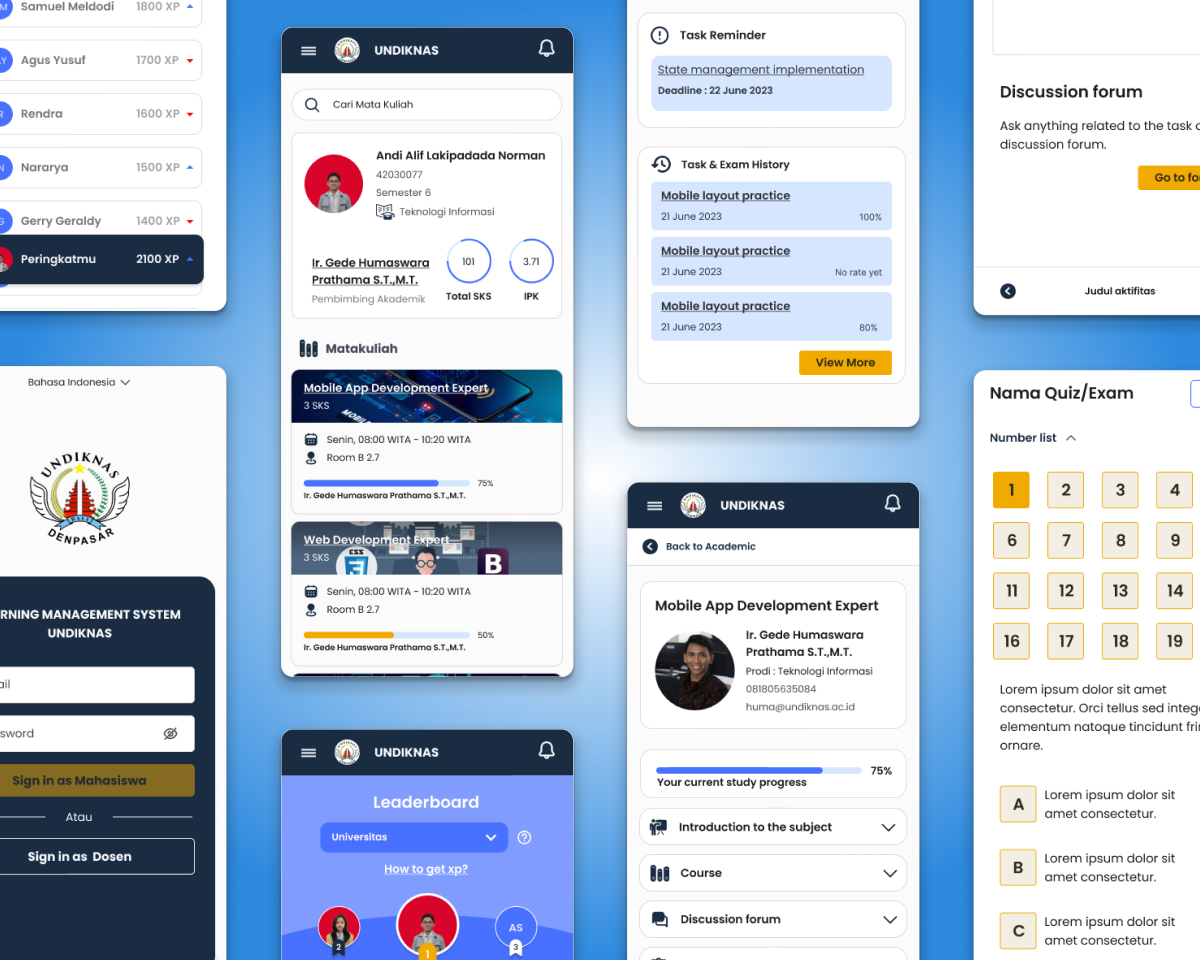
The LMS was redesigned with a stronger focus on mobile usability, clearer information hierarchy, and simpler navigation.
The new design introduced a cleaner dashboard, better course card structure, improved calendar and assignment visibility, clearer learning progress indicators, and a more consistent visual system. The process also included user research, card sorting, wireframing, high fidelity prototyping, and testing to validate the design direction.
Process
Conduct online survey
Observe existing LMS experience
Create user persona
Map user needs and pain points
Create wireframes
Build low fidelity prototype
Conduct concept testing
Gathering concept testing insights
Refining design and designing mock up
Build high fidelity prototype
Conduct usability testing
Gathering usability testing insights
Finalize design
Deliver to stakeholders
Results
The redesigned LMS experience made the platform easier to navigate and more suitable for student learning needs.
Users could access course information faster, understand academic tasks more clearly, and move through the LMS with fewer unnecessary steps. The final design also included a documented visual system to support consistency across future LMS screens.
Impact & Metrics
10 images
Have a project in mind?
Together, we can craft something clear, playful, and pixel-perfect. Let's collaborate to bring ideas to life in a way that resonates with everyone.